
The Need of Outsourced Bookkeeping Companies for CPA Firms

It won’t be surprising if you’re a CPA firm owner weary from spending your precious resources on bookkeeping. You might be interested to know how outsourced bookkeeping companies can come to your aid. Bookkeeping—a mainstay of accounting—can be tedious and time-consuming for any business. However, the process becomes much more complex if you are a CPA services firm because you typically handle accounting for several clients at once. So, let’s dive in! Why CPAs Should Delegate Their Bookkeeping to Outsourced Service Companies Every CPA firm aspires to have a large client base. But you also need to have the capacity and bandwidth to handle it. It’s a no brainer that insufficient resources can ruin both service delivery and quality. And it’ can be far more precarious if you’ve a diverse range of clients with complex financial needs. Below are three straight-forward reasons why CPAs should assign their client bookkeeping to an expert outsourced bookkeeping team: 1. Role of CPA and Bookkeeper Not Same Bookkeepers, accountants, and CPAs are all vital components of a finance operation. But the role and levels of expertise of a bookkeeper and a CPA are vastly distinct. CPAs are licensed accounting professionals. Of course, they’re well-versed in bookkeeping. But they work at the top end of the finance and accounting ecosystem. Their role spans more complex areas including advising, auditing, budgeting, tax preparation, etc. At the far end, the bookkeeper primarily records and maintains a business’s financial transactions. It’s a much basic and simpler role as compared to a CPA. A good outsourced bookkeeping team can deliver the same results at a much lower cost compared to in-house resources. 2. Bookkeeping as Service is Less Profitable for CPA People perceive bookkeeping as a low-value-adding service. And the fees are typically low. So, bookkeeping services aren’t multi-baggers for a CPA firm. However, in all fairness, this isn’t about money and profits alone. The fact is, you don’t need to apply CPA-level of skills and knowledge for bookkeeping. A trained bookkeeper would suffice. So, CPAs should focus on value-added services to make the most of their expertise and training. 3. Bookkeeping Can be a Burden on CPA’s Resources Bookkeeping works on tiny margins. But it demands a lot of time, labor, and attention. It’s not uncommon to see many CPA firms and their in-house teams struggling. Monotonous, repetitive recordkeeping can take precious hours and focus away from core activities. In such a scenario, outsourced bookkeeping companies offer a great solution and value. Evidently, bookkeeping outsourcing services are gaining acceptance and popularity among CPA firms. Despite your best efforts to keep the show running, you may eventually encounter a deadlock — as the mundane, repetitive, and low-margin bookkeeping tasks can hinder your CPA firm’s earnings and profitability. How Can Your CPA Firm Benefit from Outsourced Bookkeeping Companies? Reasons may not be enough to drive your business decision. Knowing the benefits is absolutely important. Right? Here are some key benefits of outsourcing your recordkeeping and bookkeeping processes if you are a CPA practice: 1. Outsourcing Simplifies Your Client Bookkeeping Tasks Outsourcing to an expert bookkeeping service provider helps CPA firms optimize their workflows. You might need in-house accountants for more strategic tasks. Stuck in mundane bookkeeping tasks, they may not be productive or focused enough. But the work flows much faster when you get support from outsourced bookkeepers. Your in-house staff can readily access accurate, organized, and updated financial records prepared by the outsourced team. It allows them to move quickly to the next steps, with enhanced speed and efficiency. 2. Drive Economies of Scale Via CPA Bookkeeping Outsourcing Competition in the accounting industry is intensifying. The existing accounting firms and CPA practices are vying for a larger share. The competition continues to heat up with the arrival of new entrants and trends. It can be difficult especially for smaller firms to survive and grow. And then, there’s another side to this: the ‘great accounting crunch’. Many accounting and CPA firms (size regardless) are facing it. But you can tackle this issue by outsourcing to a capable accounting services company. It provides instant access to expert bookkeepers at a fractional cost. So, you can avoid expenses on hiring and training. Also, you can amplify or downsize the outsourced bookkeeping team as per your needs. So, economies of scale can be a critical driver for a CPA firm’s growth! Outsourcing enables CPA firms to broaden the scope of their services and add new clients. As such, small firms can climb up the ladder, while big shots can speed up their expansion and growth. 3. Access Cutting-Edge Bookkeeping Tools An expert outsourced bookkeeping solutions company won’t lag in technology either. They deploy market-topping accounting software to manage clients’ accounts for CPA firms. By leveraging advanced bookkeeping tools, they can ensure that your books are accurate and delivered on time. 4. Leverage Bookkeeping Automation Automation is transforming accounting and bookkeeping in many ways. Automated processes not only help reduce errors, but also save money and time. Which also enables real-time data access and transfer. Many a bookkeeping service can automate their workflows using feature-rich software, tools, and via specific routines. Notably, bookkeeping automation can improve workflow and turnaround, but it still requires human oversight. So, make sure your service provider has experience working with automated systems and trained bookkeepers in place. 5. Ensure Data Security with Savvy Outsourced Bookkeeping Firm Accounting firms are custodians of their clients’ confidential financial data and information. Therefore, data security is a top priority for reputable CPAs and outsourced bookkeeping companies alike. Furthermore, professional bookkeeping services adhere to robust security standards throughout the process. In addition, constant monitoring helps mitigate the risk of data breaches. 6. Use CPA Outsourcing Services for Managing Large Workloads Tax season is the busiest time for CPA firms. With no scope for tax preparation and filing errors and delays, you might find yourself time-pressed and chasing deadlines. Things can often become chaotic as a result. Moreover, chaos can turn into
How Automated Invoice Processing Can Redefine Business Landscape
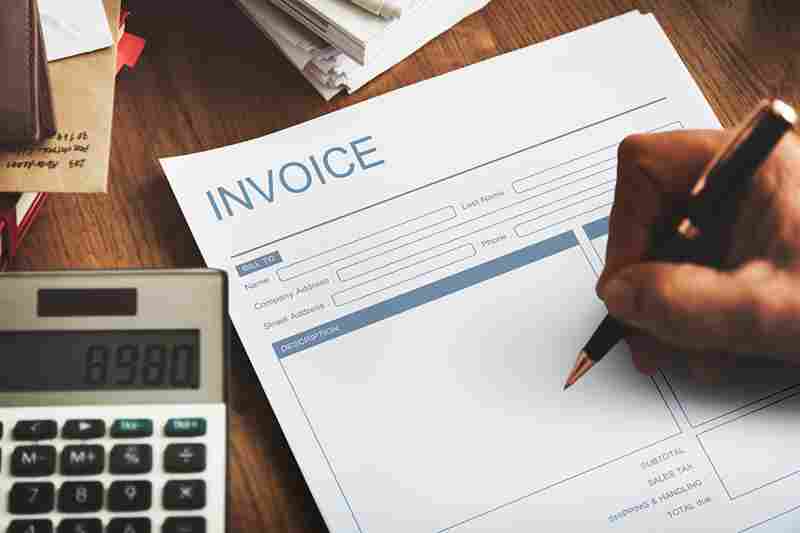
Processing invoices manually is a problem that affects all industries. It consumes time and can cost money that could be better spent somewhere else. In contrast, numerous companies across all industries are implementing the automated process of processing invoices. This article will discuss the advantages of automated invoice processing, and how it can assist you to improve productivity. In the end, the automation of invoice processing has proven to be an excellent relief for those who were managing various processes since it allows businesses to cut costs and improve efficiency. When manual processes are likely to result in several hundred thousand dollars for business operations that are plagued by inefficiencies. An automated invoice processing system for this issue can eliminate the manual process of processing invoices and gain the cost savings that automation could provide. What is Automated Invoice Processing? Invoice processing automation involves the application of technology to speed up the process of generating invoices. This could include automating the creation of invoices and also the recording of, storage, and retrieval process of invoices. Automated invoice processing could help businesses save time and money by reducing the necessity to manually enter data and increasing accuracy. How Automated Invoice Processing is Reshaping Businesses? No More Paperwork The primary benefit of automating invoices is the fact that they remove the need for lengthy paperwork. Archiving and tracking files can prove to be a tedious and error-prone procedure when it is done manually. When you automatize this process, it can be completed swiftly and precisely, freeing your time to work on other essential tasks. Another benefit of automating invoicing is that it helps you save money. In the absence of papers and postage, it can cut down the cost of running your business by a significant amount. Automated billing can allow you to get quicker paid through automation of the process of billing. This means you’ll be able to get paid faster and get rid of the cost of late fees. Overall, automated invoices offer numerous benefits that help you save time and money. If you’re not using this software you should definitely be looking into it. Improved Reconciliation Revenue is able to flow in a continuous manner only when businesses can discover a method to settle disputes when they occur. Invoice processing is closely tied to the reconciliation of payments and invoice processing automation. This can help companies to simplify the reconciliation process. With the automated notification of suppliers and reconciliation workflows, if invoices that are submitted each month are in dispute in any manner, automated invoice processing is able to resolve disagreements instantly. This is done prior to the next cycle of billing, thanks to the simple procedure, repeatable and flexible the system can be able to meet and resolve the customers’ questions. Billing and Accrual Made Easy The automated invoice processing makes billing as well as accrual a breeze. Businesses are able to track their payroll in a simple manner. This is due to the fact that all data is kept in one location. Companies can also create reports quickly. Automated invoicing eliminates the requirement to print invoices on paper. This means that companies can cut costs on postage and printing expenses. Furthermore, it can help save the planet by decreasing the use of paper. Automated invoicing systems are extremely safe. This is because all data is stored electronically. This means there is no risk of losing vital information because paper invoices are damaged or lost. Automated invoice systems are extremely convenient. Because businesses are able to view their bills from any place around the globe. All they require to have is an Internet connection. Businesses can set up automated payments to ensure that they don’t need to worry about late payments. Real-Time Reporting Automating and upgrading the invoice process has shown the potential of another aspect which is instant reports and transparency. Since there is a growing need for quick and accurate details on where an invoice stands in relation to processing, automated invoice processing could help businesses. Spend less time on administrative Needs. Automated invoices can assist you in staying on top of your daily tasks by freeing time used for administrative tasks. Automated invoicing means that you simply input your data once, and the system will create invoices automatically for you. This means that you will reduce the time you spend on processes like data entry and spend more time doing things that will help expand your company. Additionally, automated invoicing will help you avoid the issue of late payments through reminders sent to customers on a regular basis. This can help maintain your cash flow in good shape and build good relationships with your clients. In general, automated invoices offer numerous advantages that will help you operate your business more efficiently. If you’re seeking ways to cut down on the time of your employees and also money, automating invoicing is certainly worth a look. Closing Note Through the automated processing of invoices, companies can guarantee the traceability of invoices throughout the procurement process. It gives a clear picture of which invoices are routed to, as well as the stage of approval and, consequently, helps managers make the appropriate decisions.
What are the Challenges of Outsourcing Payroll

Payroll outsourcing service has become a debating segment among numerous business organizations around the globe. Since the world of outsourcing was opened to companies benefiting from technology and the rise of IT, a lot of companies began to explore the benefits of outsourcing. Hiring these services locally or in-house is a more expensive option than outsourcing to offshore businesses. Outsourcing payroll, which we all know is one of the most prominent areas of outsourcing. Outsourcing allows you to efficiently issue payrolls and keep an accurate document. This will help you save time and effort as well as reduce the risk of making mistakes. It is important to weigh the challenges of outsourcing payroll including its benefits too before making a decision. About the Practical Approach of Myriad of Companies Payroll services manage the whole procedure of processing, calculation and final wages for the employees of an organization. It gets complicated when there are many employees in various departments of a business. There is no room for delays or ambiguities regarding the remuneration of hard-working employees. Every business requires a trustworthy payroll service team to manage the remuneration needs of their employees. But there are numerous obstacles to recruiting and keeping the payroll staff on premises over an outsourcing provider for payroll. An organization could be hit by massive investment and be distracted from its core business. Payroll outsourcing firms are cost-effective as well as reliable and efficient in providing appropriate services for outsourcing payroll. Some Key Payroll Outsourcing Challenges It is true that Payroll Outsourcing Services bring some significant benefits to businesses. Accounting companies and CPAs must think about the possibility of working with the top payroll outsourcing companies. But the truth is that hiring payroll outsourcing may not go as smoothly as you would expect. There is a chance that you will have to cut down nails that sprout up as challenges in the process of outsourcing payroll. In this article, we will inform you about the most common issues that may arise when choosing to outsource payroll services. We’ve even provided the most effective ways to solve every one of these issues. If you follow the guidelines, you will be able to overcome the obstacles that may stand in your path to seamless payroll outsourcing. Here are a few major outsourcing payrolls challenges that firms face: Payroll outsourcing services offered by remote companies can create confusion. You might be unsure if the payroll outsourcing firm, you select is trustworthy. The credibility of payroll outsourcing firms could put you in a bind. Conducting a thorough background check and conducting detailed discussions with the potential outsourcing company regarding the payroll services will give you an impression of trust. You can also organize a face-to-face meeting in the event if it is feasible to eliminate any doubts. Transparency between the two parties can aid in the development of a positive business relationships. It is vital to have the ability to communicate effectively among the parties who are involved with payroll outsourcing. A smooth and efficient execution for the outsourcing company isn’t feasible without efficient communication. Maintaining a two-way dialogue between your company’s team as well as the outsourcing firm isn’t easy. It is essential to get regular updates on the development of your project. To maintain a reliable communication channel, you need to engage in a discussion with your service provider in advance. Your company must be able to clarify all the details of communicating different aspects regarding your payroll services. Make sure you use the most advanced tools and communication software. These steps will aid in maintaining a healthy relationship. Tax law changes frequently. It is vital to stay current with the latest tax laws as well as their modifications to ensure you accurately estimate the liabilities and taxes of your employees. It is important to be aware of the changes to your regulatory framework. There is the risk of severe penalties if the modifications to the regulations are not viewed carefully. One method to ensure that your payrolls conform to the current regulations and laws is to employ this method. The most reliable outsourced bookkeeping service is one that can accomplish this. The service provider you hire for your outsourcing service should be able to provide up-to-date information regarding tax laws and regulations. It is how to stay clear of penalties and errors. One of the major advantages of outsourcing is the lower cost of service. However, there is the possibility that the benefit of outsourcing your payroll exceeds your expectations. Are you able to benefit from saving money and receiving top-quality services from your payroll outsourcing business? The answer to this question is a cost-benefit study. It is imperative to make sure that the choice to outsource payroll services is beneficial for your business. Examining the costs associated with internal payroll services with outsourcing is also recommended. Accounting companies and CPAs are able to quickly assess the anticipated costs and quality of the service to help you make an informed choice. It is possible to select the payroll outsourcing firm that offers the services you require at the best price. When outsourcing a crucial service, it’s essential to be able to communicate effectively. It is essential to ensure that all information is accurate and updated. Communication with your provider may be difficult if there is an issue with language. This is especially true if you recently moved to a new location and need to outsource payroll. This is why you must make sure your language barrier does not result in inconsistent services. The Bottom Line As per the aforementioned information, outsourcing payroll services are worth trying. You can avail everything from basic or complex payroll administration services for your company. The payroll outsourcing company will handle individual payroll information and the associated files for every employee. Choose the most reliable one for your business and you will get the complicated calculations, reports efficient, cost-saving, as well as expert access to everything without any hassle.
How to use Xero Accounting Software?

Xero is an online accounting system that was specifically designed for small-sized businesses that are growing rapidly. It shouldn’t be a surprise that the program is marketed by its tagline of “affordable professional-level accounting software for small businesses” and “the best at what it does,” which has more than one million users. It also is the most popular accounting software used by numerous accounting firms. Based on the specific needs of your business, Xero will save you significant amounts of time, work, and cash but it could also cause you to have more problems than it’s worth. First, you must consider the following arguments in favor and against, and then make the conclusion you want to make. Each new business requires tools that can help in its growth but also grow by leveraging it and the Xero ecosystem is exactly like this. If you’re just beginning with the accounting software Xero’s main package, you have the option of integrating additional programs which interfaces with Xero when your business expands. Xero offers you the capability to import information from different accounting software applications. As a result, you don’t need to throw away outdated software because it’s no longer useful; instead, you can quickly include anything you’d like to build a cutting-edge system that can be customized to meet the needs of your business. Starting with Xero Make sure your bank account is set up with feeds You must create feeds to all your accounts at banks, which include credit cards and PayPal accounts you might already have. Make sure you have a chart of accounts If you’re moving to Xero from another accounting software, you’ll get the option to import your current chart of accounts to Xero or alter your chart of accounts that’s in place. If you are able to access an accountant who is certified, then it will be a good idea to discuss this option with them before making a decision. If you are, however, the company’s bookkeeper, then we suggest that you use an accounting chart built into the default installation of Xero. To better suit the requirements of your business you can either delete existing accounts, modify existing ones or even create new accounts. Navigate into Settings and then Chart of Accounts, if you need to make any changes to your account. Conciliate frequently The process to reconcile bank accounts has been considerably simpler than it had been before with Xero. If you’re spending just a few minutes every week to approve transactions that have already been matched and your information will remain current regardless of whether you take any other steps to keep it updated. Since Xero integrates into your account, every one of your transactions is automatically transferred into the application without any effort from you. Since Xero keeps track of the category the last time a transaction was assigned and all you need be doing to add the transaction in the same place it was before is press”OK” button. It is recommended that you reconcile at least every week. If not regularly to ensure that the data on your bank records are as accurate as possible. The invoices that are up-to-date regularly give an accurate picture of the flow of cash. When you’ve got a transparent picture of your business’s cash flow, you’ll be able to make better-educated decisions that will be in the best interests of your company and prevent getting behind on invoices due. Create your company’s information It is mandatory to ensure that you possess an identification number, along with an address for your registered office in the case of the company of limited liability (LLC). For every one of the invoices you issue, you must include an exact copy of the registration number. Make sure you have your financial settings set up Choose Settings > General Settings > Financial Settings on the menu and add the information of your company. Add payment services In addition, you should connect the Xero account to all currently used payment providers. The services such as PayPal, Stripe, and GoCardless may fall under this category. Customers are more comfortable making payments to you since they have the option of choosing from a variety of payment options. Create a payroll Xero Payroll may assist you in keeping track of expenses associated with your employees. Additionally, you don’t require information about the payroll costs from a different software since this feature keeps all information related to payroll in one place. If you do know an accountant, then you should speak with them about your arrangement. They will confirm your year to date numbers are accurate and make any needed adjustments. However; they may have to add balances from year-end conversions to your report.
WEBINAR: Leverage AI to Understand and Action Every Customer Request
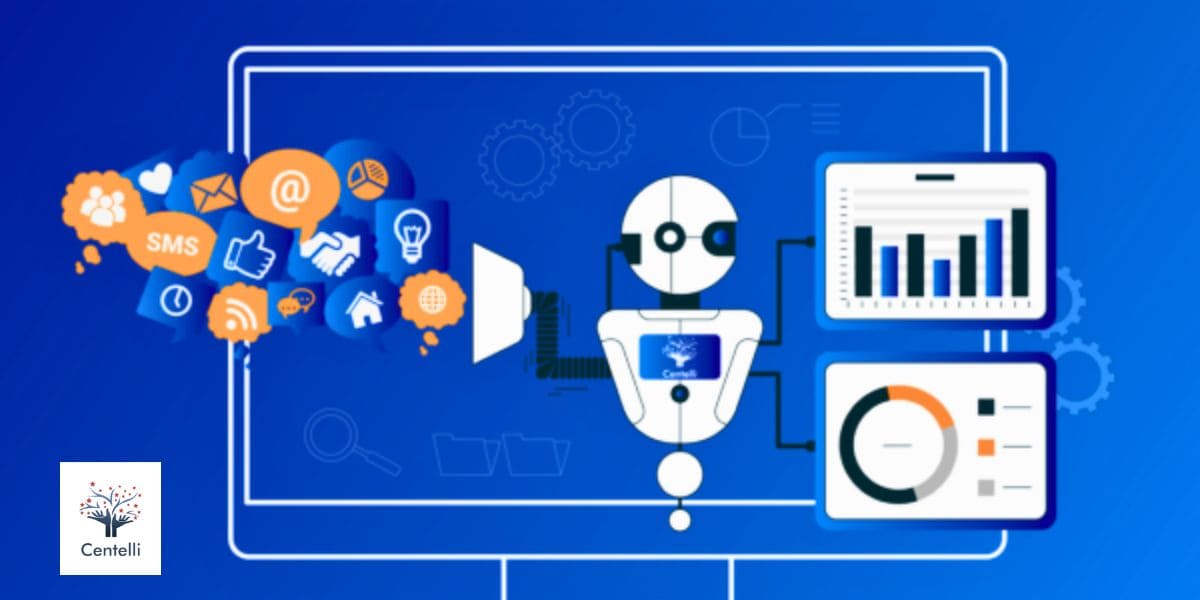
Want to know how you can use ‘AI in Customer Request Management’ more effectively? Especially when it comes to understanding and responding to unstructured communication? Centelli and UiPath hosted a 30-minute webinar on 16th May 3pm (GMT)/10am (EST). The key talking points included: The informative session on leveraging AI in customer request management and for unstructured communications covered: If you missed the webinar, here’s the session recording for you to watch on our YouTube channel. Please check it out and reach out to us if you have any questions or need more information about our automation and AI solutions. UiPath stands at the forefront of automation technology, empowering AI agents, bots, humans, and machine learning models to seamlessly collaborate—transforming industries and unlocking new levels of human capability. As a Certified UiPath Partner, Centelli brings deep expertise and a proven track record of success through custom-crafted automation implementations for businesses across sectors. – Centelli’s Digital Worker solutions enbale businesses streamline their workflows and achive geater accuracy and faster time to completion. – Notably, Digital Workers—also known as software bots—are an advanced form of intelligent automation. They are built to take on repetitive, tedious tasks, eliminating manual handling and reducing the risk of human error. – This not only streamlines workloads but also frees up human employees to use their skills and expertise on more strategic activities. – Moreover, apart from enhanced efficiency and productivity, Digital Worker implementations also help businesses ensure compliance with internal, industry, and regulatory requirements. – This also effectively mitigates business risk, supports growth, and streamlines resource utilization. However, if you already know what you need and are looking for a reliable custom AI solutions provider, you can book a meeting with our experts right away.
How To Use QuickBooks Online
If you’re an entrepreneur, then you’ve probably been familiar with QuickBooks online – the smart accounting software that lets you manage everything from payroll to taxes. However, if you’re new to QuickBooks it’s possible you’re thinking about how to use QuickBooks online. Do not worry, we’ve provided all the information for a brand-new QuickBooks user that is required in this easy-to-follow guide. Are you ready to learn more about how QuickBooks Online works? Let’s start by following simple steps! How to Use QuickBooks Online Dashboard The first step in learning how to make use of QuickBooks Online for a business is to get familiar with the interface. The dashboard is the first item you’ll notice when you log in to your QuickBooks account online. It’s the dashboard where you can navigate to all the information you’ll require as a QuickBooks user. You can spend some time looking through the various menus available on the dashboard and be aware of where you can locate everything you need. Choose Your Financial Preferences While looking for how to use QuickBooks and when updating your company’s information, you’ll be able to alter your financial preferences on this section in your QuickBooks Online account from the expense, sales, and tabs for advanced. Make changes to things like payment with your credit card and the automation of invoices and VAT data as well as your company’s end-of-year date to ensure that all information is correct for your financial reports. Add the Company’s Information Next how to use QuickBooks is after the very first login, it is time to create your company’s information and preferences. On your dashboard, click the gear icon, then select the ‘account’ and settings’ options, then click on the tab for ‘company. From there, you can provide information about your company such as – company name, business type, address, contact details, etc. Customize Your Chart of Accounts The Chart of Accounts in QuickBooks is the list of various categories used by QuickBooks to classify the money that your company needs to use for its financial statements. Five categories are created by default in QuickBooks Online by default: assets, income, expenses as well as liabilities, and equity. Most users who use QuickBooks for business will choose to leave these default settings. However, you could want to alter the categories to fit your requirements. It is possible to change the names of these categories, or you’ll discover that you have to set up a new category that doesn’t fit under the categories already mentioned. Start by going to the ‘Accounting’ tab on the dashboard and selecting ‘Chart of Accounts.’Choose ‘New’ and then the ‘Expense’ option or ‘Other Expense as the ‘Account Type’. Select a Detail Type and then enter the name of the new expense category. Include an explanation. Are you unsure of the best way to transfer the contents of your Chart of Accounts in QuickBooks Online? From the Chart of Accounts screen, click the ‘Run Report’ button. You’ll see four options: print, email, export, and additional settings. Select the appropriate option for export to either an Excel document or PDF. Import Your Business Data It’s easy and quick to import your company’s information into the QuickBooks Online app, so you don’t have to begin all over again. It is possible to import data like your bank transactions, your chart of Accounts, suppliers’ invoices employees, budgets, and information about your vendors or customers. QuickBooks Online offers multiple options to import data, and you can pick the one which is the most beneficial for your company and you. The various methods to go for are- MS Excel files, CSV files, Intuit Interchange Format (IIF)including the Web Connect file. Set up the Payroll. Are you wondering “How does QuickBooks payroll work”? The addition of your payroll to QuickBooks makes everything accessible all in one location. It is possible to categorize your payroll expenses, so you’re able to see precisely how much of your spending each month is for the wages of employees and also you don’t have to keep a separate system up to date. It’s time for you to set it up. Click on ‘Payroll Settings’ and then click ‘Setup Overview’. This is where you can enter important details to your QuickBooks Payroll, such as: Pay policies: This includes your payment schedules, as well as the policies on vacation. Tax setup: Vital to ensuring that taxes are properly processed. Deductions: Include regular health insurance and retirement plan deductions for all employees here if applicable. Preferences: This includes aspects like accounting and printing. After you’ve entered the information go to the ‘Accounting‘ tab in the setup overview screen Then select ‘Company’ and Account’. Choose which account you’ll use to keep track of the payroll costs. For adding employees to your payroll go to Employees from your dashboard. Here you can enter the information of your employees. Ensure all employees are covered by your existing pay and deduction rules, with the option to add more. This video guides you through creating tax details, salary info, and aligning with your pay calendar. Connect your bank account and credit cards It is possible to sync your QuickBooks Online account with your credit and bank accounts at this time. It means QuickBooks downloads & categorizes previous transactions automatically, saving time & effort by eliminating manual data entry. Go to the ‘Bank Accounts’ tab on your dashboard, and then click “Connect Account”, then look for your bank, and then sign into the account using the username and password that you do for online banking. After connecting you’ll be in a position to look at all accounts that you have with this bank. You’ll need to choose your business account and then choose the transaction you’d like to transfer onto the QuickBooks account. Once you’ve picked the right transaction, QuickBooks will download them in a timely manner. After downloading, simply review how they’ve been classified. End Note QuickBooks is easy for novices & perfect for small businesses looking to save time &
How Digital Workers Can Pick Up the Slack as Birth Rates Decline

The Challenge of Declining Birth Rates Since 2008, birth rates have been declining, which may cause concerns in several areas, including the business sector. To begin, according to an article in the Atlanta Business Chronicle published in February 2023, higher education leaders are anticipating an enrollment cliff. This will result in a projected decline of 15% in college students by 2025. The effects of this decline will not be limited to universities, of course. It is expected to later result in a workforce cliff and potential labor shortage. Today’s workforce comprises two relatively large generations- baby boomers and millennials- with the smaller Generation X in the middle. Moving forward, two smaller generations will sandwich the millennials, resulting in a significant population gap in the workforce. The Role of Automation in Addressing Workforce Challenges To address this challenge, businesses will need to explore new ways of optimizing their workforce and operations. One potential solution is automation. Repetitive and rule-based tasks that typically require human workers can be automated. This will reduce the workload of human employees and free them up to focus on value-added activities. This approach would allow businesses to reduce the required number of human employees while also addressing the issue of lost workdays and time wasted by employees who are not engaged in their jobs. Introducing Digital Workers Digital Workers, our name for Robotic Process Automation (RPA), are one type of automation that can be deployed across many industries. They can automate a wide range of tasks, including data entry, report generation, and even more complex jobs such as customer support and email management. By handing these over to Digital Workers, businesses reduce the time and manpower needed for their operations, making them more equipped to face a labor shortage when the time comes. Moreover, repetitive tasks cause companies to lose thousands of workdays annually. Up to 20% of employees report wasting time due to disengagement in their jobs, which further exacerbates the issue. However, by implementing Digital Workers, businesses can automate these monotonous tasks. This allows employees to concentrate on more stimulating and rewarding work, ultimately leading to higher job satisfaction and increased overall organizational efficiency. Digital Workers can be deployed across many industries, including healthcare, hospitality, and manufacturing. Centelli’s Digital Workers are suitable for any task that doesn’t necessitate decision-making. They are designed to work non-stop and without breaks, ensuring consistent performance and heightened accuracy compared to human workers. Partner with Centelli for Digital Workforce Transformation In conclusion, the birth rates decline presents a significant challenge for businesses worldwide. However, by harnessing Centelli’s expertise, organizations can transform this challenge into an opportunity. Automating tasks with Digital Workers improves efficiency, reduces errors and costs, and frees up employees for value-added tasks. As RPA technology evolves, it promises to become even more efficient and intelligent, offering a sustainable solution for businesses across diverse sectors. At Centelli, we recognize the urgent need for businesses to adapt to the changing workforce landscape. Our team is committed to helping organizations optimize their operations and overcome workforce challenges. We guide you through the entire process of design, development, deployment, and maintenance of Digital Workers. Don’t let the workforce cliff hinder your organization’s growth and success. Embrace the future with Centelli, and schedule your free consultation today.
Sage Accounting Software – Benefits & Features (A Quick Review)

Sage accounting software has been around for over four decades. Strikingly, the brand’s core focus remains on serving the accounting needs of small and medium-sized businesses (SMBs). But we all know that no two businesses are the same in size, scale, or industry. Notably, Sage offers a diverse range of accounting solutions tailored to specific purposes and needs. The good thing is that the products continue to evolve with the shifting technological landscape. In this article, we’ll explore some popular accounting software offered by Sage. Additionally, we have outlined some important features and benefits of these modules for your reference. So, whether you handle accounting in-house or prefer to outsource it, you will already be in the know about what you’re getting into… Sage Accounting Systems: An Overview The scope of Sage software is versatile. Available as online, offline, and hybrid options, different modules are meant to fulfill the unique needs of the different user segments. Below are some popular Sage modules with their key features: Cloud-based Sage Accounting Software Successful business operations are characterized by productivity, efficiency, and minimal friction. Naturally, you would look for a solution that allows for manual bookkeeping and accounting to be replaced by automation, saving valuable business hours. Besides, real-time tracking, remote accessibility, and compliance also hold significant importance. However, technology has a learning curve and can also be expensive sometimes. Therefore, accounting software that is user-friendly, feature-rich, secure, and budget-friendly can be an ideal pick. Sage Accounting in the cloud allows small businesses and sole traders to create and manage invoices with minimal effort. It also helps you to maintain a steady cash flow by enabling close monitoring of payments and receivables. Furthermore, automated bank reconciliation ensures your records are always accurate. You can directly input data into the system by simply taking photos of documents like bills and receipts, saving time and effort. Plus, your clients will not have to wait as sending estimates and quotes becomes almost instant. With its intuitive features, the software empowers you to estimate cash flows and make informed decisions. Security and backup are two major attractions for business and accountants alike. Note that ‘Intacct’ and ‘Sage 50’ are also cloud-native. Some Key Benefits of Sage 50 and Sage 100 Let’s explore some key benefits offered by the these two products: a) Sage 50 This accounting module from Sage comprises a comprehensive suite of tools to streamline your small business finances. From hassle-free invoicing and efficient payments and banking to keeping track of your expenses and job costing, it helps simplify your company’s financial operations. Furthermore, Sage 50’s advanced features enable you to manage your inventory more effectively, which can help save money and improve customer service. Additionally, robust reporting and audit tracking can provide meaningful data insights for review and future planning. As your financial sub-processes are now more synchronized, you get a holistic view of your company’s finances. Importantly, you can also seamlessly integrate Sage 50 with Payroll. This allows you to expand its scope and take advantage of the add-on service. b) Sage 100 A feature-rich ERP solution for small and medium-sized businesses (SMBs)! Intuitive, quick, and easy to deploy, Sage 100 provides you with complete visibility and control over financial and payroll operations. Additionally, it can also synergize with your warehouse and manufacturing functions. Furthermore, you enjoy a paperless and customized office as the software integrates effortlessly with other office and business applications. Sage 100 comes with an easy format reporting feature. Effortlessly organize, modify and run reports to draw meaningful insights. Then there are party add-ons to take your SMB ERP management to the next level. So, you can make the most of alerts and workflows, data and analytics, enterprise intelligence, and netstock predictive planning. You get so many features but at cost-effective pricing! Leverage Sage’s Accounting Prowess with Centelli If you’re a business, CPA/accounting firm looking to outsource your accounting tasks, we understand your concerns about service quality and costs. You might also have apprehensions about the software expertise of the team handling your accounting workflows. Different versions of Sage accounting software offer unique capabilities and features, with costs varying based on the modules provided. In general, Sage positions itself as an affordable option. Absolutely! A thorough grasp of the features and functionalities is imperative. Because even with a top-notch accounting system, delivering desirable outcomes would be challenging without ample understanding. However, this won’t be the case when you partner with us. As professional accounting outsourcing services, we adhere to specific benchmarks. Plus, we have a diverse team of experts, all equipped with experience in marketing-leading software and tools. Sage’s industry-specific product versions allow users to choose what’s suitable for their business accounting. The offer solutions for Construction, Financial Services, Healthcare, Hospitality, Manufacturing, Nonprofits, Retail, and SaaS sectors. Hence, we’re able to deliver the best outcomes meeting our client’s expectations. We encourage you to leave your worries at bay – our accountants and bookkeepers are extensively trained to manage your processes powered by Sage software accounting. Sage is an important part of our accounting services tech stack at Centelli. Explore our accounting services portfolio here. We cater to business of all sizes across sectors and are actively serving the UK, Europe, and the United States, with worldwide delivery capability. Conclusion The Sage brand is globally recognized and offers an enabling solution for SMBs and organizations seeking a hassle-free, cost-effective accounting solution. It also trusted by many CPAs, accounting firms, and outsourced accounting services. Is Sage your preferred accounting software? Interested to know how we can help you unlock Sage benefits to the fullest? Not to mention, loads of time and money you can save when you hire us! Contact us now to get your free consultation!
An Overview of Accounts Payable Process Improvement
Every business needs to procure goods and services for its operations. These can include raw materials, machinery, office supplies, marketing and delivery partners, and more. Ensuring payment accuracy and timely bill-clearing helps you foster strong supplier relations. If it’s not up to par, it’s time to undertake an accounts payable process improvement exercise! If it’s not up to par, it’s time to undertake an accounts payable process improvement exercise! Sure, you might find it challenging, but it is much needed nonetheless. Let’s discuss some steps you can take to level up accounts payable (AP) and maintain a healthy cash flow—always. Ideas for Accounts Payable Process Improvement Inefficient AR process flows can hurt your business’s reputation, supplier relationships, financial planning, and decision-making. Do this to simplify and streamline your payments to avoid these issues and save yourself the trouble. 1. Improve Accounts Payable Process Workflow Organization Orderliness is the key to an effective process, including accounts payable. You should develop a robust method for handling invoices from the time you receive a bill until the time you pay it. Store all invoices in a central location so that you can quickly locate them. You should also prioritize invoices by due date. For example, you can arrange bills by due date, with the closest due dates first. You can use an accounts payable aging report to track invoice due dates. An AP report will help you identify vendor invoices that are past due payment date. 2. Go Paperless; Adopt Digitalization for Faster AP Process This step is highly recommended for elevating accounts payable process efficiency. One of the biggest challenges buisnesses face today is managing paper-based documention. Even though an increasing number of invoices are processed electronically, some are still printed on paper. This happens even in organizations that receive electronic invoices. It not only adds printing costs to business expenses, but you may end up spending considerable time to locate the documents. Further, it can also be quite costly to store the paper invoices for record even after they are paid. Besides cost-inefficiency, there’s also a risk of damage like decay and fire. Documents often need to be sent to other departments for information sharing, encryption, or response. Photocopying can add to the distribution costs and may be lost or delayed before reaching the desired destination. Data digitization and electronic data transfer are a better option for this reason. When you implement digital solutions, you can eliminating the paper trail. By eliminating paper, you will be able to reduce printing costs, conserve hours, and save office space. Consequently, you can achieve a time and cost-efficient invoice payment process. 3. Reduce Data Entry Errors to Improve Trade Payables Incorrect data entry can ruin any chance of improving your accounts payable process efficiency. One study found that 88 percent of Excel spreadsheets contain errors. These errors can be mechanical, logical, and omission. Even small errors can be costly for your business. Imagine how much time and money you may need to spend to fix them or for dealing with the aftermath like delayed payment penalties. Notably, manual entry is the most common cause of data entry errors. You can lessen the chances of mistakes by automating data entry. 4. Use GL Codes to Reduce Accounts Payable Processing Times Even in companies with an ordering system, some invoices still need to be approved and coded before they can be paid. Having an effective general ledger (GL) coding system in place ensures that all account payable transactions get recorded accurately. It allows you to assign a unique GL code to each financial entry, helping improve overall accuracy, tracking and reporting. Importantly, coding can be made easier for non-finance-related users handling data. Sophisticated defaults and lists based on departments or vendors make coding easy. One key benefit of this strategy is that it can speed up the process by eliminating the need for the accounts payable team to review and potentially reject paper forms. Furthermore, you can automate GL coding to effectively cut down your processing times and level up the payable process as whole. 5. Don’t Loose Track of AP Invoices; Set Reminders You should make a conscious effort to organize your creditor accounts. It is easy to over look payments and allow some outstanding invoices to go unnoticed. So, it helps if you set up reminders for your pending bills before their due dates expire. It also helps you anticipate upcoming expenses!! You can use a calendar to manage invoice due dates and set alarms to automatically notify you when due dates are nearing. Also, you should review your payables regularly to make sure you don’t miss any bills. Want to save the hassle of managing your accounts payables all by yourself? We provide expert accounts payable outsourcing services to businesses of all sizes. Contact us to learn how our accounts payable process improvement ideas and solutions can help you. 6. Accounts Payable Transformation with Automation Notably, inefficient purchase invoice processing can kill your supplier relations, causing disruption to service and supply lines. You may be forced to look for new suppliers as a result. You can, however, level up your process by using an accounts payable (AP) automation solution. In addition to providing touch-free straight-through processing for most invoices, it also helps highlight issues for the accounts payable team to resolve swiftly. Automation can take your account payable process improvement to a whole new level! No more manual invoice processing means eliminating the chances for errors and inefficiency. It also helps prevent document losses and ensures timely invoice processing. 7. Better Archiving of Accounts Payable Transcation Process Data One of the most efficient ways to improve your accounts payable management process is to track your invoice data! When you receive an invoice, store it electronically as a PDF or other document format. This includes invoices, purchase orders, receipts, and supplier notifications. These documents will help you pay invoices accurately. They will help you know when each invoice is due, who you
Know About the Types of Frauds in Business

Business fraud can have a big impact on any company regardless of its size. If you are a business owner, then you may have heard about the types of frauds in business and these may sometimes seem unavoidable. Especially, sensitive accounting information can give any business owner sleepless nights. Handing over the accounting information to unknown 3rd party sources can pose a serious threat of exposing business secrets. However, not all 3rd party sources are a threat but it is quite hard for an entrepreneur to have a balanced attitude toward them. Business frauds are just a kind of virus that has to be removed from its roots to eliminate frauds completely. What is a Business Fraud? A business fraud simply refers to the crimes committed by high-ranking or senior employees in a business. It involves someone stealing valuable financial information from someone else under the disguise of dealings in business. Types of Frauds in Business According to a survey conducted by ACFE, small business fraud is more common. Most small -businesses are impacted by frauds when compared to large businesses. Whether customers or employees, these are only a few who may take advantage of your business. The point is to recognize the fraud and take steps to protect yourself. Let us take a look at some of the types of frauds in business that you can face: 1. Identity Theft This is one of the most complex and biggest frauds in business. It is because a business can either be a victim or a perpetrator. In this fraud, someone steals your personal information from a party and uses their information to do fraudulent activities like stealing. Expert fraudsters use this information to open a new line of credit and make purchases with their credit cards, thereby committing crimes under false identities. As for a business, it can commit this theft by stealing bank account information. Moreover, employees having sensitive data may use it to steal from other businesses. There can be many scenarios, which is why it is essential to protect your cyber ecosystem. Always use encrypted personal data and keep up with your virus updations. 2. Asset Misappropriation This kind of fraud is quite common and is very easy to commit. Asset misappropriation simply means stealing from an employer deliberately. Now let us discuss about a couple of its categories: Cash Misappropriation – Committing theft of stealing money from the employer, whether it is transferring funds from the firm’s bank account or directly taking money from the safe comes in the cash misappropriation category. Non-Cash Misappropriation – This type of theft comes under stealing of non-cash assets from the firm. It could include stealing office inventory and equipment without being authorized. In order to prevent asset misappropriation, you should log or record the financials including detailed inventory and prove any losses. Another step that you can take is to partner with your bank so as to negate any unauthorized transactions. In addition to that, you must have a talk with your bank regarding the different programs that fully safeguard your business from such incidents. 3. Corruption Another one in this business frauds list includes “Corruption”. It is basically a blanket term for a plethora of frauds. This fraud usually happens when someone in a position of power in a business deliberately engages in a dubious/dishonest behavior, or even mishandles funds, then it comes under corruption. Some most common examples include- laundering money, taking bribes, carrying out unreported transactions, etc. There have been instances where business owners themselves become corrupt when seeking more money without even thinking about its consequences. However, such incidences are quite rare but happen. Therefore, any business employee should be observant all the time. You must report business fraud so that it gets investigated thoroughly by the IRS. 4. Payroll Fraud One of the most common schemes in businesses as opposed to high-scale companies is the Payroll. You can find several ways by which payroll frauds can happen. In most companies, employees ask for advance payments without having any intention to pay back, or they simply lie about their working hours. Moreover, they could clock in their colleagues in case they are absent or haven’t done their work. In addition to this, you can also conduct background checks on the employees before hiring. Auditing payroll accounts can be highly beneficial so that you can identify and catch any fraudulent behavior sooner. You could also hire the best payroll service providers before paying employees, thereby keeping track of their hours within your system. It is always better to be proactive beforehand so as to avoid any mishap at your workplace. 5. Financial Statement Fraud There are many different reasons when a business owner or an employee may commit financial statement fraud. This mostly includes the manipulation of financial records in order to make their net worth or assets seem greater than they really are. Moreover, there is a chance that they can show fake losses or debts. However, this type of fraudulent activity is typically carried out for the purposes of securing loans. At other times, the employee seeks loans just to steal the money. Whatever be the case, this type of fraud in business is quite serious. Therefore, you should pay attention to any activity that seems dubious or suspicious and react instantly without waiting. Additionally, you must look out for any suspicious email or network activity and immediately seek help to remove any systems that may have been compromised as a result. 6. Return Fraud Any business that is into selling goods must’ve experienced return fraud at some point. Return frauds can be of different types. There are instances when a customer purchases a product, uses it, and then returns it even if it works fine and has no manufacturing defect. Or there are other fraudulent activities in which the products are stolen from you and then attempted to return them so as to make a profit. It may be difficult to completely clear out return